In short
- Most problems start with simple things: a weak password, missing updates, no backups and a click on a fake message.
- To begin with, turn on two-step verification on email, check your backups and turn on automatic updates.
- Forward suspicious text messages to 8080, and report emails and websites at incydent.cert.pl.
- Write down permissions, a list of steps for when an employee leaves, and a one-page disaster plan.
Table of contents (8)
IT security in a small business doesn't require a big budget or an IT department. Most of the incidents I see start with simple things: a weak password, an out-of-date program, a lost laptop or a click on a fake message. Below you get a list of 10 points that you can check in one week, one or two a day. For each I add where to start.
1 and 2: two-step verification and a password manager
Two-step verification (MFA) is a second step when logging in, e.g. a code from an app. CISA states that users who turn it on are far less exposed to account takeover, and it considers the best form to be one that is resistant to phishing, based on the FIDO/WebAuthn standard (CISA: MFA). Start with your company email, online banking, the control panel for your domain and website, and cloud file storage.
A password manager solves a problem nobody likes: every account should have a different password. CISA recommends passwords at least 16 characters long, a different one for each account, and using a manager that generates, remembers and fills them in (CISA: strong passwords). You remember one strong master password.
From practice: What I see most often is one password used for email, the hosting panel and the online shop. One leak is all it takes and everything is open.

3 and 4: updates and backups
Updates patch holes in the system, the browser and programs. CISA recommends installing them as soon as possible and turning on automatic ones (CISA: updates). Check on every work computer and phone that automatic updates are on, and that there are no devices that haven't been restarted for months. Don't forget the router and the printer.
Backups are your insurance in case of a breakdown, theft or an attack that encrypts your data. Check three things: where the backup is, whether it is outside the computer you work on, and whether you have ever tried to restore anything from it. You'll find a detailed description in the article backups in a small business.
5: phishing and reporting to CERT Polska
Scams arrive by email, text message and messaging apps. CISA lists typical signs: urgency and threats of consequences, requests for personal or financial data, suspicious links and domains with a slight typo. It also recommends that you don't click, don't reply and verify the sender through another channel, e.g. by calling a known number (CISA: phishing).
How to report in Poland:
- Text messages: forward the whole message to the number 8080 (free of charge). It is best to use the "Forward" function rather than retyping the content.
- Emails and websites: report them through the form at incydent.cert.pl.
Both channels are run by CERT Polska (Poland's national computer security incident response team) (gov.pl: reporting fake text messages). It is good to set a rule in the company: an employee who has clicked reports it straight away, without fear of being judged.
6 and 7: staff permissions and guest Wi-Fi
Permissions. Everyone should have access only to what they need for their work. Accounting doesn't need to see the folder with quotes, and an intern doesn't need to be an administrator. List the accounts and ask: who has access to email, files, the website panel, the bank and the sales system. Remove what's unnecessary, and avoid shared accounts, because with them you can't tell who did what.
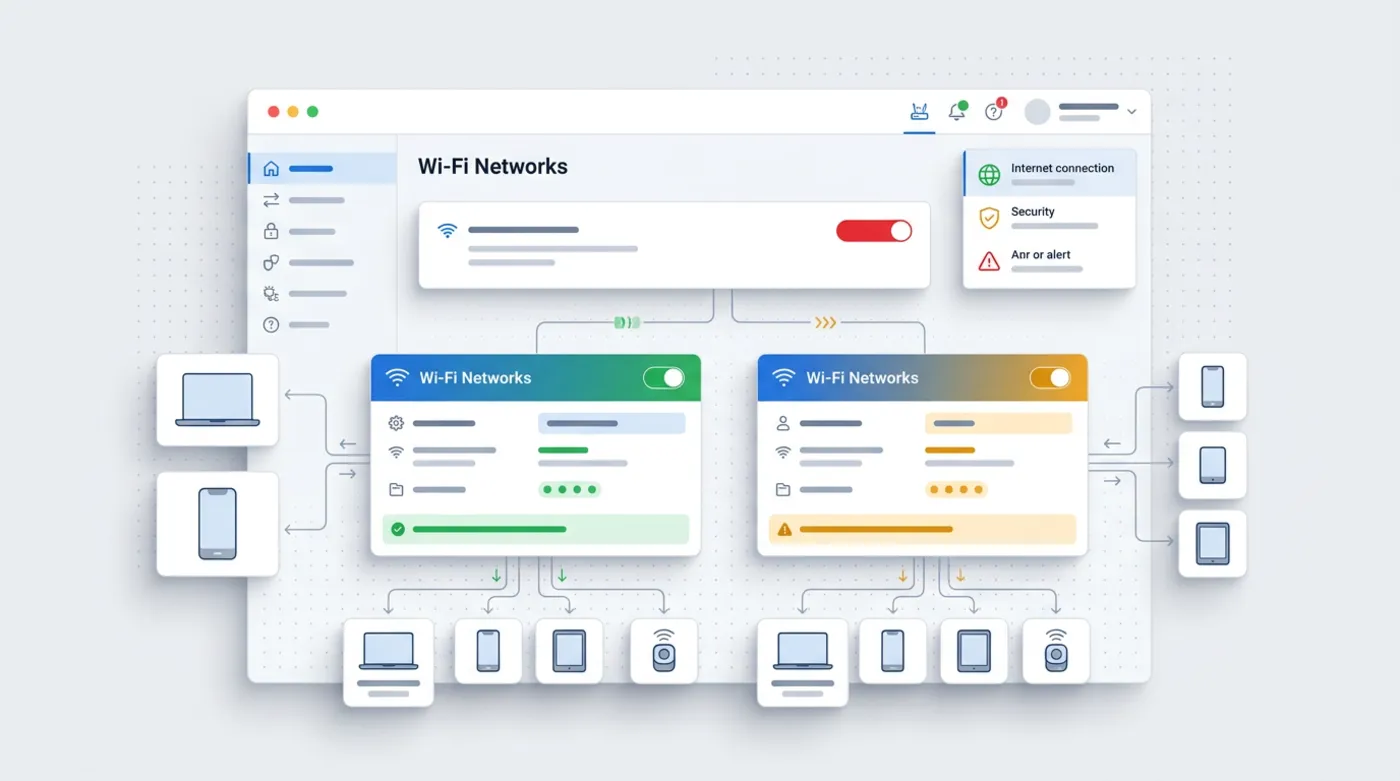
Guest Wi-Fi. Customers, suppliers and guests shouldn't use the same network as the computers holding company data. Most routers let you create a separate guest network with its own password. It is a dozen or so minutes of work, and it separates other people's phones from company devices and the printer.
8 and 9: laptop encryption and an employee leaving
Disk encryption means that a lost or stolen laptop won't give up its data to whoever finds it. Windows and macOS have built-in disk encryption features, and in many cases all you need to do is turn them on and save the recovery key in a safe place. Start with the laptops that leave the office.
An employee leaving is a moment that is easy to forget. Prepare a short list of steps:
- block their email account and redirect their mail,
- change the passwords for shared accounts, if there are any,
- collect their equipment and work phones,
- cut off access to panels: website, shop, ads, bank,
- write down who has taken over their tasks and files.
From practice: I see accounts of former employees that still work more often than I should. Usually nobody in the company has a single list of where that person had access.
10: a disaster plan
A disaster plan is one page. It doesn't have to be fancy. It should answer these questions:
- Who do you call when email, the network or the computer with key data stops working?
- Where are the backups and who can restore data from them?
- Who in the company decides on reporting an incident and contacting customers?
- What do you do if you suspect a break-in: disconnect the device from the network, change passwords, report the matter.
If personal data could have leaked in an incident, remember your obligations under the GDPR. I also deal with the topic where data protection meets tools in the article AI and GDPR in your business.
How to introduce this in your business without chaos
The list is simple, but in a small business everything comes down to time. So I suggest three rules.
First, one person is responsible for security, even if it is the owner doing it after hours. Without assigned responsibility, no point on the list will get finished.
Second, short rules in writing. One page is enough: we use a password manager, we don't install programs without permission, we report suspicious messages, laptops are encrypted. Employees are more willing to follow rules that are short and explained.
Third, repeat the review. Check the list once a quarter, and after every change in the team update permissions straight away. Security is not a one-off task but a habit.
For each point, ask yourself the same question: what happens if this fails? If the answer is "we will lose customer data" or "we will be at a standstill for several days", the point goes to the top of the queue. If it is "it will be inconvenient", it can wait.
A summary in one table
| Point | What to do this week |
|---|---|
| Two-step verification | Turn it on for email, banking, the domain panel |
| Password manager | Install it, change the passwords for the most important accounts |
| Updates | Turn on automatic ones on all devices |
| Backups | Check the location and try restoring one file |
| Phishing | Set a reporting rule: 8080 and incydent.cert.pl |
| Permissions | List the accounts, remove unnecessary access |
| Guest Wi-Fi | Create a separate network |
| Laptop encryption | Turn on disk encryption, save the key |
| An employee leaving | Write down the list of steps |
| Disaster plan | Write one page with contacts and steps |
Where to start
Don't do everything at once. In a small business it is better to close three points this week than to start ten and finish none. After each point, tick it off the list and write down the date, so that in a quarter you know where to come back to.
To begin with, choose the three points with the greatest effect: two-step verification on email, checking your backups and turning on updates. Spread the rest over the following days.
If you'd rather have someone go through this list with you, see IT support for businesses or write through the contact form. I'll tell you what is worth doing right away and what can wait.
Frequently asked questions
Where do I start securing IT in a small business?
With two-step verification on email and your most important accounts, checking your backups and turning on automatic updates. These three things give the greatest effect at the lowest cost.
Where do I report a suspicious text message or email in Poland?
Forward the text message to the free number 8080. Report suspicious emails and websites through the form at incydent.cert.pl. Both channels are run by CERT Polska.
How long should a password be?
CISA recommends at least 16 characters and a different password for every account. The easiest way to achieve that is with a password manager.
Do company laptops need to be encrypted?
It is worth doing, especially for those that leave the office. An encrypted disk makes it harder to reach the data after equipment is stolen or lost. Save the recovery key in a safe place.
What should I do when an employee leaves the company?
Block their accounts, collect their equipment, change shared passwords and cut off access to the company's panels. It is good to have this written down as a short list of steps.
Sources

Author
Piotr Babczyński
I help businesses win customers online: SEO, Google and Meta ads, automation and AI. I work from Szczecin, Poland, and remotely. I write about what I test on real projects.
- 30 years in IT
- SEO and Google Ads
- AI implementation
- #IT security
- #small businesses
- #phishing
- #checklist