In short
- A subscription pays off when downtime costs more than the monthly fee and several people in the business work on shared systems.
- The biggest difference is prevention: backups, updates and permissions are handled regularly with a subscription, not after a breakdown.
- One-off help is enough with 1 to 3 computers and rare problems.
- IT support prices: a subscription from PLN 1,000 a month, one-off remote help from PLN 97.
Table of contents (7)
IT support for businesses on a subscription usually pays off when computers, email and data are needed for daily work, and downtime costs more than the monthly fee. On-demand help is enough when there is little equipment, breakdowns don't recur and someone takes care of the basics. The difference is not only in the price. It lies in who looks after backups, updates and permissions before something breaks. Below I compare the two models the way I see them in small businesses.
Two models: a subscription and on-demand help
On-demand help is a report after the fact. Something stops working, you call, someone fixes it, you pay for the job. This model is honest and simple. You aren't tied to a contract, and you pay only when there is a problem.
A subscription is a fixed monthly fee for looking after your company's IT. It covers reports of problems, but also tasks that nobody remembers in the rush of work: checking backups, updates, order in employee accounts, small requests such as "add a new person to the email system".
In practice I often see that businesses start with on-demand help and come to a subscription after the second or third serious breakdown. You don't always have to wait for that third event.

A comparison: costs, response time, prevention
| Criterion | On-demand help | Subscription |
|---|---|---|
| Cost | Variable, depends on what breaks and when | A fixed monthly amount, easy to put in a budget |
| Response time | Depends on who happens to have a free slot | Set in the contract, your business is on the list of regular jobs |
| Prevention | Usually none, repair after the fact | Part of the scope: backups, updates, a review of permissions |
| Knowledge of your business | You have to explain from scratch every time | The IT specialist knows your computers, passwords, suppliers and habits |
| When everything works | You pay nothing | You pay, but you get reports and peace of mind |
| Who it is for | 1 to 3 computers, little data, rare problems | A team working on shared email, files and systems |
The most important row in this table is the one about prevention. Breakdowns can't be avoided entirely, but you can make sure they don't end in data loss. I write about backups themselves at greater length in the article backups in a small business.
From practice: The most expensive breakdown is not the one that costs the most to repair. It is the one that stops several people working at once and happens just when there is no tested backup.
Predictable and unpredictable costs
With on-demand help, one breakdown can cost little and the next a lot. You can't plan for it, so there is simply no line for it in the company budget. That is why small problems are sometimes put off for weeks because "there's no money for it this month", and then they grow.
A subscription turns irregular expenses into a fixed item. A month is easier to calculate, and it is easier to talk to your accountant. That is its biggest practical advantage, more important than the price itself.
My prices for IT support for businesses are public:
- Start from PLN 1,000 a month,
- Business PLN 1,497 a month,
- Pro from PLN 3,000 a month,
- a tailored package, when a business has unusual needs,
- one-off remote help from PLN 97.
You'll find the details of the scope of each package in the price list for IT support for businesses. I don't give market averages here, because without a reliable source they would be only guesswork.
Response time and prevention
With a subscription, the response time is part of the contract. You know what you can count on before anything happens. With on-demand help it depends on the availability of whoever you happened to find.
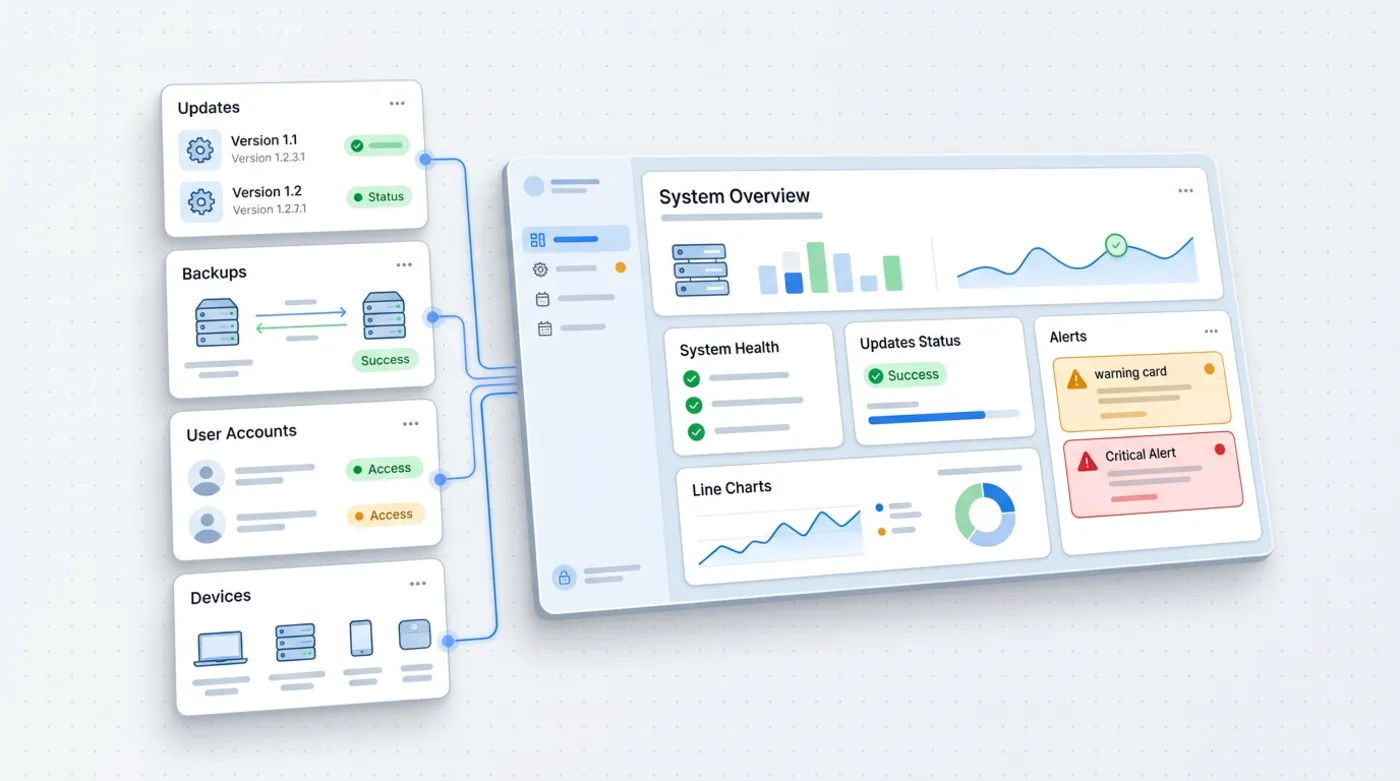
In short, prevention is a few repeated tasks:
- Updates of the system, browsers and programs. The US agency CISA recommends installing updates as soon as possible and turning on automatic updates, because they patch holes that criminals can exploit (CISA: software updates).
- Two-step verification on email and in important systems. CISA points out that users with multi-factor verification turned on are far less exposed to account takeover (CISA: MFA).
- Checking backups, meaning not only that a backup is made, but that you can restore data from it.
- Order in permissions, especially after changes in the team.
When one-off help is enough
Not every business needs a subscription. One-off help is reasonable when:
- you work alone or with one other person and have a few devices,
- company data is already in the cloud with built-in two-step verification and a backup,
- you need one specific thing: setting up a new laptop, email, a printer, repairing the network,
- the equipment works and you just want to check whether you have any obvious gaps.
I offer this kind of one-off remote help from PLN 97. If after a few jobs it turns out that I come back every month with similar problems, that is a good sign to consider a subscription.
From practice: A good test is the question: "What happens if tomorrow morning email and files don't work?". If the answer is "we're at a standstill until evening", a subscription usually makes sense.
How to work out whether a subscription will pay for itself
You don't need market averages, only your own numbers. Take a sheet of paper and answer five questions:
- How many people in the business can't work when email, the network or the invoicing program isn't working?
- How much does an hour of those people's work cost you?
- How many times in the last year did something come to a halt, and how long did it last?
- How much did you pay for on-demand repairs in that time?
- Is there something you are afraid to touch because nobody knows how it works?
Multiply the downtime by the cost of an hour of the team's work, add the repair bills and compare with the annual subscription fee. If the result is similar, the subscription wins on peace of mind and prevention. If there were hardly any breakdowns, on-demand help will be cheaper.
What to watch out for in a subscription contract
A good contract is specific. Pay attention to a few things:
- Scope: what is in the fee and what is paid separately (e.g. new equipment, larger rollouts).
- Response time: during which hours and in what way you report a problem.
- Backups and updates: who is responsible for them and whether you get confirmation that they work.
- Access: who has the administrator passwords and what happens to the documentation when you end the cooperation. The documentation of your IT should be yours.
- Notice period: it is convenient when you aren't tied in for long with no option to change.
If someone promises "complete security" or "zero breakdowns", treat it as a warning sign. Honest IT support reduces risk and shortens downtime, but doesn't eliminate them entirely.
Where to start
- Write down what you have: computers, phones, printers, the email system, where files are kept, who has which accounts.
- Count the last six months: how many breakdowns there were, how many working hours people lost, whether anyone recovered data.
- Check your backups: do you know where they are and have you ever tried to restore anything.
- Decide on a model: if there were few breakdowns, start with one-off help. If there were several, or someone lost data, consider a subscription.
- Ask for the scope in writing: what exactly is included in the fee, what the response time is, what is outside the scope.
If you like, I'll describe how this looks in your business and tell you honestly whether you need a subscription or on-demand help is enough. Write through the contact form. While you're at it, it is worth reading the article on how AI affects data protection in a business, because that is often the next topic after you've put your IT in order.
Frequently asked questions
How much does IT support for a business on a subscription cost?
In my offer the Start subscription costs from PLN 1,000 a month, Business PLN 1,497 and Pro from PLN 3,000. There is also a tailored package. You'll find the current scope in the price list on the offer page.
Does a small business need an IT subscription at all?
Not always. With one or two people and a small number of devices, one-off help is often enough. A subscription makes sense when several people work on shared email and files, and downtime stops work.
What does prevention include in a subscription?
Usually updates, checking backups, two-step verification on important accounts and a review of permissions. It is worth agreeing the exact scope in writing before you sign.
How much does one-off IT help cost?
One-off remote help costs from PLN 97 with me. The price depends on the scope, which we agree before work starts.
Can I start with on-demand help and then move to a subscription?
Yes. Many businesses do. If you come back with similar problems every month or someone has lost data, it is a good moment to consider regular care.
Sources

Author
Piotr Babczyński
I help businesses win customers online: SEO, Google and Meta ads, automation and AI. I work from Szczecin, Poland, and remotely. I write about what I test on real projects.
- 30 years in IT
- SEO and Google Ads
- AI implementation
- #IT subscription
- #IT support
- #small businesses
- #prevention