In short
- In Google Ads you pay for clicks in an auction (CPC), so there is no single price list. The actual cost per click is usually lower than your maximum bid.
- The daily budget is an average. On one day the campaign can spend up to twice it, and over a month no more than 30.4 times the daily budget.
- You work out the starting budget from an acceptable cost of winning a customer, not from a figure out of thin air.
- Beyond the ad budget, the bill includes running the campaign, the landing page and measuring results.
Table of contents (8)
- How billing works in Google Ads (CPC and the auction)
- Daily budget and the monthly limit: what Google says
- How to set a starting budget: work from the cost of winning a customer
- What the price of a click depends on
- Beyond the ad budget: costs worth knowing about
- Common mistakes when setting a budget
- Where to start: 5 steps
- Frequently asked questions
How much does Google Ads advertising cost? There is no single price list, because you pay for clicks in an auction, not for the mere fact that your ad is shown. The cost depends on your industry, your competition and how well you set up the campaign. That is why it is worth calculating your starting budget from how much you can pay for one new customer, rather than from a "figure out of thin air". Below I show how to work it out step by step.
How billing works in Google Ads (CPC and the auction)
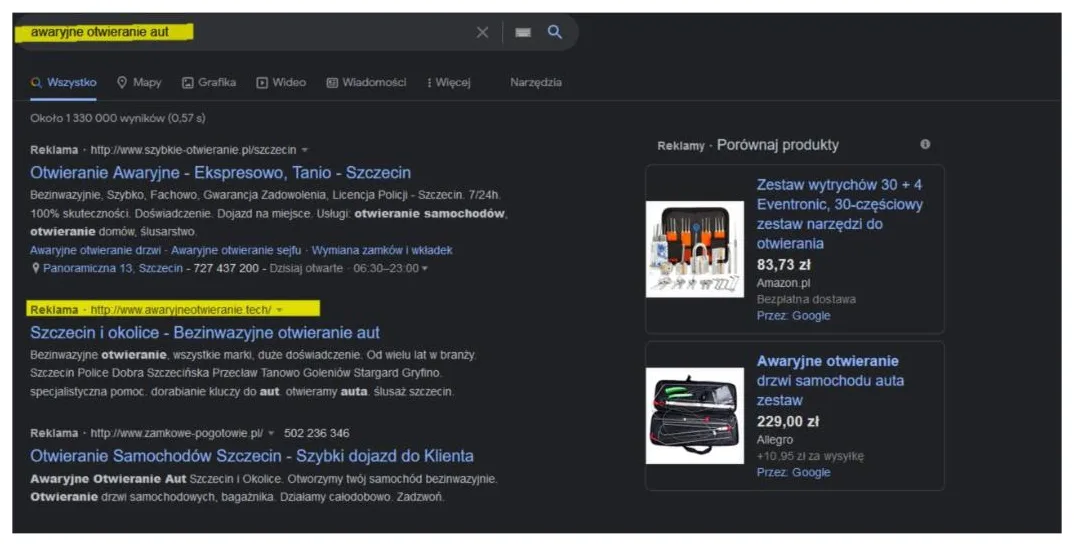
In search campaigns, the most common billing model is CPC, or cost per click. You don't pay for the ad being shown. You pay when someone clicks on it.
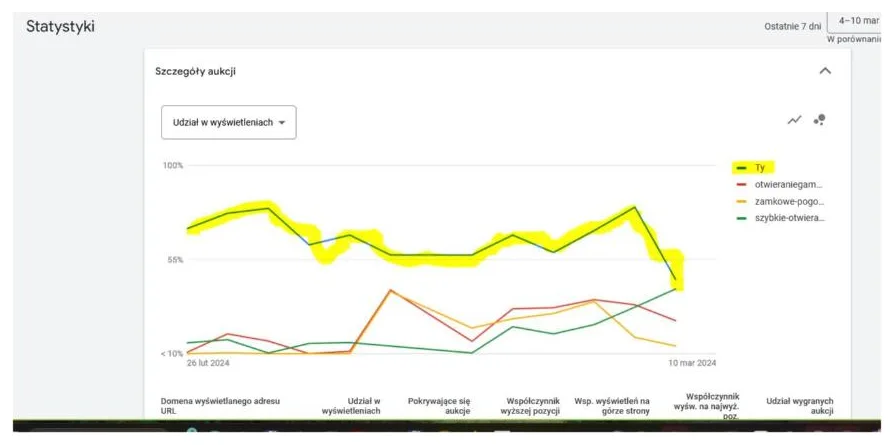
You set a maximum CPC, the upper limit you are willing to pay for a click. The position of your ad depends on an auction in which this bid and the quality of the ad both count. According to the Google Ads help, the actual cost per click is the amount you really pay. It is usually lower than your maximum bid, because you pay only as much as it takes to get ahead of the competitor's ad below yours.
Two things follow from this:
- You can't state a "fixed price per click". It changes from auction to auction.
- The cost is affected by how well the ad matches the search phrase and the page it leads to. I write about this at more length in the article Google Ads or SEO.

Daily budget and the monthly limit: what Google says
In Google Ads you set an average daily budget. It is not a fixed amount that the system spends to the last zloty every day. The rules from the official Google Ads help are as follows:
- on a given day the campaign may spend up to twice the average daily budget, to take advantage of fluctuations in traffic,
- at the end of the month you will spend no more than 30.4 times the average daily budget,
- Google also explains that you will never pay more than these limits, and any excess over the limit is credited back.
| What you set | What can happen | Limit |
|---|---|---|
| Average daily budget | On one day the spend is higher than the budget | Up to 2x the daily budget |
| The same budget over a month | Weaker and stronger days even out | Up to 30.4 x the daily budget |
From practice: Business owners are sometimes surprised when they see spending on one day that is higher than the budget they set. That is normal behaviour for the system. Look at the cost over a month, not a single day.
How to set a starting budget: work from the cost of winning a customer
Instead of guessing a figure, turn the calculation around. Start with the question: what is the most I can pay for one new customer and still have it make sense? For that you need three numbers from your own business:
- The profit (margin) from one customer. How much is left after the costs of carrying out the job.
- How many enquiries it takes to get one customer. For example, every fourth enquiry ends in a sale.
- How many clicks it takes to get one enquiry. A website that collects enquiries helps here, which I write about in the text a website that collects enquiries.
An example worked with variables
The numbers below are hypothetical and serve only to show the formula. They are not market rates or the results of any business.
- Margin from a customer: PLN 1,000. You decide you can pay at most PLN 300 to win a customer.
- Every 10th click gives an enquiry, and every 4th enquiry gives a customer. That means 40 clicks per customer.
- Assume a CPC of PLN 4. The cost of winning a customer is then 40 x PLN 4 = PLN 160, which fits within the PLN 300 limit.
The general formula:
cost per customer = CPC x (clicks per enquiry) x (enquiries per customer)
You work out the monthly budget like this: planned number of customers x acceptable cost per customer. If you want to check at the start whether the campaign works, and you assume 5 customers at PLN 300 each, the budget is PLN 1,500 a month. The daily budget is then PLN 1,500 / 30.4, which is about PLN 49. Dividing by 30.4 matches the monthly limit described by Google.
You'll only learn the real CPC and conversion rates after the campaign has run for a few weeks. So your first budget is the cost of gathering data, not a guarantee of results.
What the price of a click depends on
Since you pay only as much as it takes to win the auction, the cost is affected by several things that you can partly influence:
- Competition for a given phrase. The more businesses compete for the same query, the harder it is to get ahead of them cheaply.
- The quality of the ad and the page. Google assesses how well the ad matches the search phrase. A well-matched ad gets a better position at the same bid.
- Local reach. A campaign limited to your city or region rules out clicks from people who can't become your customers.
- Excluded phrases. Adding words you don't want to appear for reduces spending on accidental clicks.
I don't give average rates for industries here, because they change over time and differ between cities. Real data on phrases is shown by the keyword planner in your Google Ads account, and only that is a proper basis for the calculation.
Beyond the ad budget: costs worth knowing about
The money you pay in to Google is not the only expense. When you assess how much Google Ads costs, also include:
- Running the campaign. Someone has to set it up, watch the phrases, exclude irrelevant queries and analyse the results. You can do it yourself or outsource it. In my case it is a separate item, priced after a conversation about your situation.
- The landing page. If the page doesn't encourage people to get in touch, you pay for clicks that achieve nothing.
- Measurement. Without conversion tracking you don't know which clicks end in a phone call or a form. I describe this in the article conversion tracking in Google Ads.
- Time to handle enquiries. A quick reply to a phone call or message often decides whether an enquiry turns into a customer.
From practice: I often see campaigns where the budget "burns" not because the rates are too high, but because nobody checks which phrases the ads are shown for. A regular review of phrases can change effectiveness more than raising the budget. You'll find a similar example in the case study on ads for local businesses.
Common mistakes when setting a budget
Most of the problems I see come from haste and a lack of numbers. Here are the most common:
- A budget too small for a test. With a minimal amount you'll collect too few clicks to draw conclusions.
- No upper limit on the cost per customer. Without it you don't know whether the ad pays off.
- Judging after one day. Daily spend fluctuates, so judge longer periods.
- Changes every two days. Constantly changing settings makes it harder to tell what works. If the ad gets clicks but nobody calls, read the text the ad gets clicks, the phone stays silent.
Where to start: 5 steps
- Work out how much you earn on one customer and set the maximum cost of winning them.
- Estimate how many enquiries it takes to get a customer (look at the last few months).
- Set up measurement of calls and forms before the campaign starts.
- Run a test for a planned period and judge the results over a month.
- Once you have the data, decide: scale up, improve the page or change the phrases.
If you like, we'll work out the budget for your business together, using your numbers. See how I work on Google and Facebook advertising, or simply write to me.
Frequently asked questions
How much does Google Ads advertising cost?
There is no fixed price list, because you pay for clicks in an auction, and their cost depends on your industry, your competition and the quality of the campaign. It is worth calculating the budget from the cost you can pay for a new customer.
Can Google Ads spend more than the daily budget I set?
Yes, on a given day the campaign can spend up to twice the average daily budget. According to Google's help, however, in a month you will not spend more than 30.4 times the daily budget.
Do I pay for the mere display of an ad?
In the CPC model you pay for clicks on the ad. The actual cost per click is usually lower than the maximum bid you set.
Where do I start when calculating a budget?
With the profit from one customer and the maximum cost of winning them. Then work out how many enquiries make a customer and how many clicks make an enquiry, and multiply that by the planned number of customers.
Are there other costs beyond the ad budget?
Yes, you need to include running the campaign, the landing page, conversion measurement and the time needed to handle enquiries.
Sources

Author
Piotr Babczyński
I help businesses win customers online: SEO, Google and Meta ads, automation and AI. I work from Szczecin, Poland, and remotely. I write about what I test on real projects.
- 30 years in IT
- SEO and Google Ads
- AI implementation
- #Google Ads
- #budget
- #CPC
- #local advertising