In short
- Without conversion tracking you see clicks and costs, but you don't know whether the ad brings in phone calls and forms.
- Google distinguishes calls from ads, calls to the number on your website, and a mere click on a number. The last one is not an actual conversation.
- You can measure conversions with the Google tag or import key events from GA4. Don't count the same action twice.
- Consent Mode (v2) passes users' choices from the banner on to Google tags and affects how many conversions the system sees.
Table of contents (7)
Conversion tracking in Google Ads is how the system learns which ad clicks end in something valuable to you, such as a phone call or a submitted form. Without it you only see clicks and costs, and you don't know whether the ad brings in customers. For a service business the two most important events are usually a call and a contact form. Below I show how to measure them and what to watch out for with cookie consent.
Why an ad without measurement works blind
Conversion measurement on a website analyses specific user actions after an interaction with an ad. This lets you judge how effective a campaign is, not just what it costs.
Without measurement:
- you don't know which phrases and ads bring enquiries and which only bring clicks,
- you can't work out the cost of winning an enquiry or a customer (more on budgets in the article how much Google Ads advertising costs),
- you can't sensibly judge whether a change to the campaign helped.
I know this from conversations with business owners: "the ad gets clicked, but I don't know if anything comes of it." It usually turns out that measurement was never set up. I describe a similar scenario in the article the ad gets clicks, the phone stays silent.

Types of conversions: calls and forms
Start by answering a simple question: how do customers contact your business after seeing an ad? What you set up depends on it.
For a small service business, calls and forms matter most. Google describes them in its help page on phone call conversions and in the conversion category documentation.
| Type | What it measures | What to watch out for |
|---|---|---|
| Calls from ads | A call made directly from the ad (call extension or call-only ad) | A conversion is a call longer than the set time, 60 seconds by default according to Google's documentation |
| Calls to the number on your website | A call to the number displayed on the website. Requires the tag and Google forwarding numbers | Measurement requires the code to be implemented correctly on the website |
| Click on a phone number | Just the click on a number on a mobile device | It measures the click, not an actual conversation |
| Form submission | An event on the website after the form is submitted | You have to mark the right page or event, not every visit to the page |
How a click on a number differs from a call
This is an important distinction. Google points out that the click-on-number option tracks only clicks, not actual phone calls. If ten people click the number and three really call, the system may count ten conversions. That's why, wherever possible, it pays to measure actual calls.
From practice: I often see accounts where every visit to the "contact" page has been counted as a conversion. It looks great in the report, but it says nothing about real enquiries. A conversion should mean an event that matters to you.
The Google tag and GA4 import: two routes to the same data
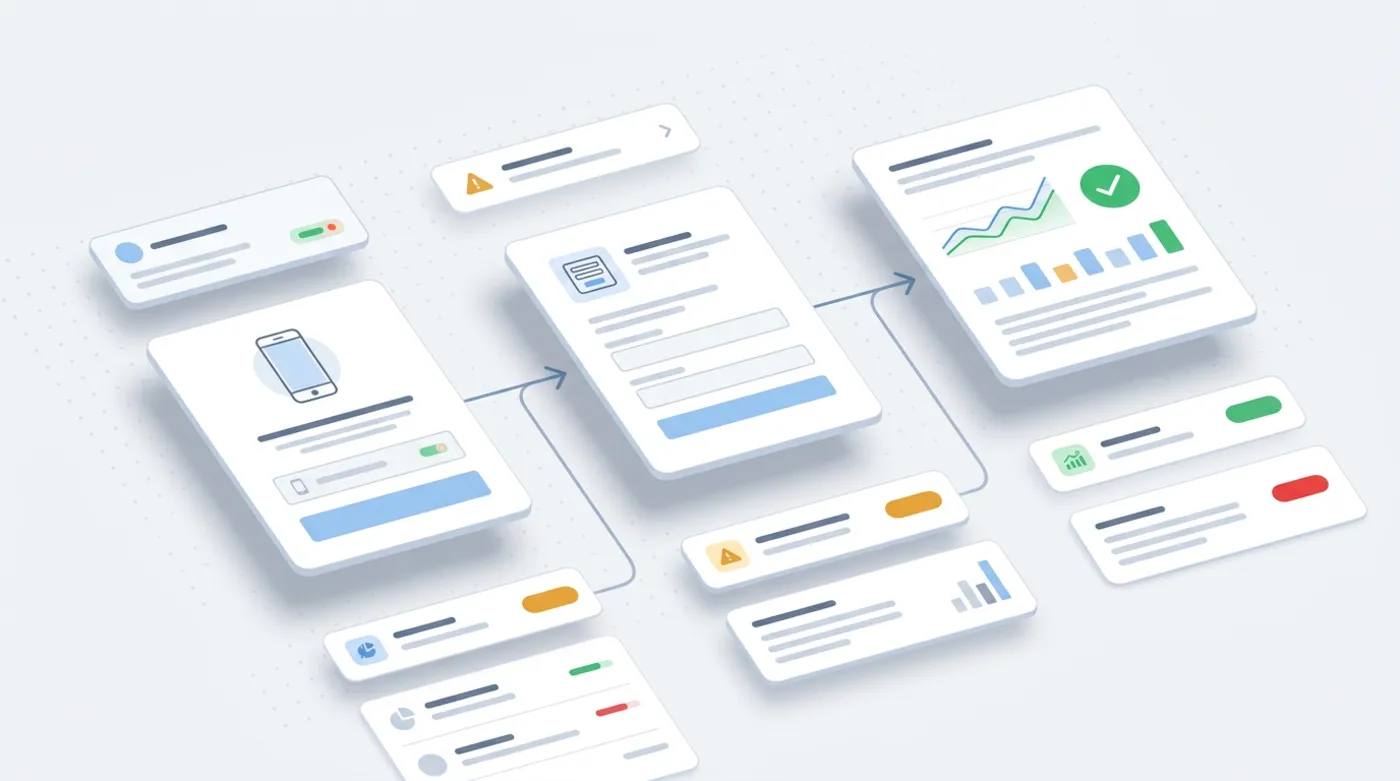
The foundation of measurement on a website is the Google tag. According to the Google Ads help, setup involves three steps: connecting data sources (the domain, and Google Analytics if you use it), creating conversion actions, and implementing tracking. Measuring a visit to a "thank you" page can be set up without coding, while button clicks usually need a code-based implementation.
Importing conversions from GA4
The second route is importing key events from Google Analytics 4. According to the Google Ads help, once you link a GA4 property to your Google Ads account, you can create conversions based on key events from Analytics. You need:
- admin permissions for the Google Ads account,
- auto-tagging switched on in the Google Ads account,
- edit permissions on the relevant Google Analytics property.
Which route is better? If your GA4 is already in order, importing can be convenient, because the events are in one place. If you care about measuring calls from ads, you set those up directly in Google Ads. But it's not worth counting the same action twice as two conversions. Choose one source for each event.
If a form is to go straight into your customer management system, see an automatic contact form with a CRM.
Cookie consent and Consent Mode (v2)
This is where many businesses make a mistake. Measuring conversions in Europe is tied to users' consent to cookies. Google introduced Consent Mode, which lets a website pass users' choices on to Google tags. According to Google's help there are two variants:
- Basic: Google tags don't load until the user reacts to the consent banner. If they don't consent, no data goes to Google.
- Advanced: tags load straight away with consent denied by default. When the user declines, cookieless signals are sent, and Google uses them to model metrics. According to the help page this gives better modelling than basic mode.
Consent Mode v2 added two parameters: ad_user_data (consent to send user data to Google for advertising purposes) and ad_personalization (consent to personalised ads). Google explains that it has strengthened enforcement of the consent policy for users in the European Economic Area and requires consent signals to be passed on in order to use measurement and ad personalisation.
What does this mean for you in practice? The cookie banner on your website must work properly and pass users' choices on to Google tags. It's not just a formality, because it affects how many conversions the system sees and can model. I also write about personal data issues around these tools in the article AI and GDPR in your business.
From practice: It happens that the consent banner is set up so that the measurement tags never get any information about the choice. Then conversions are missing from the reports even though the phones are ringing. Testing the banner after every change to the website is a simple thing that saves a lot of frustration.
How to check that measurement works
Setting up is half the work. The other half is testing. Do it yourself before you spend the first zloty on ads:
- Form. Send a test enquiry from the website. Check whether you receive the message and whether the event appears in the account.
- Phone. Call the number from the website or from the ad and talk for as long as the set call time requires. A short call may not be counted.
- Reports in the account. Look at the conversion report after the campaign has been running for a few days. If there are no entries at all even though calls and forms are coming in, it's a sign that something is connected wrongly.
- After changes to the website. A new template, a new form or a new plugin can quietly break measurement. Repeat the test after every major change.
Remember, too, that a conversion in a report is only an enquiry. Whether it turns into a customer depends on how quickly and how well you respond to it.
Where to start: a checklist for one evening
- Decide what counts as a conversion for your business: a call, a form, or perhaps both events.
- Check in Google Ads that the conversion actions are set up and that you aren't counting the same action twice.
- Make a test enquiry: send the form and call the number, then see whether the events appeared in the account.
- Link GA4 to Google Ads if you want to use the import, and switch on auto-tagging.
- Check the consent banner and whether it passes the choices on to Google tags (Consent Mode v2).
You don't have to do this alone. If you like, I'll check what your account measures today and show you what's missing. See how I work on advertising, or write to me.
Frequently asked questions
What is conversion tracking in Google Ads?
It is the measurement of users' actions after an interaction with an ad, for example submitting a form or making a phone call. It lets you judge which campaigns bring real enquiries.
Is a click on a phone number the same as a call?
No. According to Google, this option tracks only clicks on the number, not actual phone calls. Where possible, it is worth measuring real calls.
Is it better to use the Google tag or a GA4 import?
Both routes work. The import requires GA4 to be linked to Google Ads and auto-tagging to be switched on. For a single event, choose one source so you don't count conversions twice.
What is Consent Mode v2?
It is a version of Consent Mode with the parameters ad_user_data and ad_personalization. It passes users' choices from the cookie banner on to Google tags.
How does basic mode differ from advanced mode?
In basic mode, tags don't load until the user reacts to the banner. In advanced mode, they load straight away with consent denied by default and, if consent is declined, send cookieless signals, which are used for modelling.
Sources

Author
Piotr Babczyński
I help businesses win customers online: SEO, Google and Meta ads, automation and AI. I work from Szczecin, Poland, and remotely. I write about what I test on real projects.
- 30 years in IT
- SEO and Google Ads
- AI implementation
- #Google Ads
- #conversions
- #GA4
- #Consent Mode