In short
- A good prompt contains a role, a task, context, an example, constraints and an answer format.
- The official OpenAI, Anthropic and Google guides consistently recommend clear instructions, context and examples.
- Split big tasks into steps, and fix a weak result by clarifying the prompt, not by starting from scratch.
- Remove personal data before pasting any text, and always read the result before sending.
Table of contents (8)
How do you write prompts, that is, instructions for AI, so that you get a useful result the first time? Give the model a role, a goal, context, constraints and an answer format, and ideally add one example of what you expect. The big companies (OpenAI, Anthropic, Google) describe essentially similar things in their guides: clear instructions and examples, and OpenAI and Google also recommend supplying context. Below you will find six rules and five ready-made templates to copy for a small business.
Where these rules come from
I am not inventing my own magic. I rely on what the vendors write in their official guides: the OpenAI prompting guide, Anthropic's guidance for Claude and Google's prompting strategies for Gemini. These documents are written mainly for developers, but the rules carry over to everyday work in a chat.
On top of that I add what I often see with clients: people write to AI as if it were a search engine, in one sentence, and then complain that the answer is vague. The problem usually lies not in the tool, but in the instruction.
6 rules for writing prompts in your business
1. Say who AI should be and who it is writing for
The OpenAI and Anthropic guides recommend stating the role and communication style clearly at the start. In practice: "You are an assistant at a hair salon in Szczecin. You write politely and concretely, to individual customers."
2. Describe the task precisely
OpenAI talks about instructions that state outright the logic and data needed to carry out the task. Instead of "write an offer", write who it is for, what it is for, how many paragraphs it should have and what the purpose of the text is.
3. Add context
Google recommends providing the necessary background information instead of assuming the model knows everything. The model does not know your price list, your opening hours or your complaints rules. Paste them in or describe them in your own words.
4. Show an example
All three guides point to examples (so-called few-shot) as one of the most effective methods. Paste one of your own good replies to a customer and write: "write in this style". This usually improves the result more than a long description of tone.
5. Set constraints and format
Google lists constraints and format requirements as a separate element of a good prompt. State the length ("at most 120 words"), the structure ("three points and one question at the end") and what is forbidden ("do not promise deadlines, do not give prices that are not on the list").
6. Split big tasks and iterate
OpenAI and Google recommend breaking complex tasks into smaller steps, and Google adds iterating, that is, rephrasing until the result is repeatable. First ask for an outline of the post, then for the text. If the result is bad, do not start from scratch, but write what to fix.

The anatomy of a good prompt
A good prompt is usually a few short blocks. It does not have to be long, but it has to be complete.
| Element | The question it answers | Example |
|---|---|---|
| Role | Who is AI? | An accounting office assistant |
| Task | What should it do? | Reply to a customer's enquiry |
| Context | What should it know? | Our services, hours, rules |
| Example | How should it sound? | A previous good reply, pasted in |
| Constraints | What to avoid? | No prices, no promised deadlines |
| Format | What should the result look like? | 3 paragraphs, a question at the end |
From practice: the prompts I correct most often are the ones that lack context. The owner knows who their customer is, so writes not a word about it. The model does not know, and guesses.
5 ready-made templates for a small business
Put your own details in the square brackets. The templates work in ChatGPT, Claude and Gemini. They will not replace your judgement, but they save you the first draft.
Template 1: replying to a customer enquiry
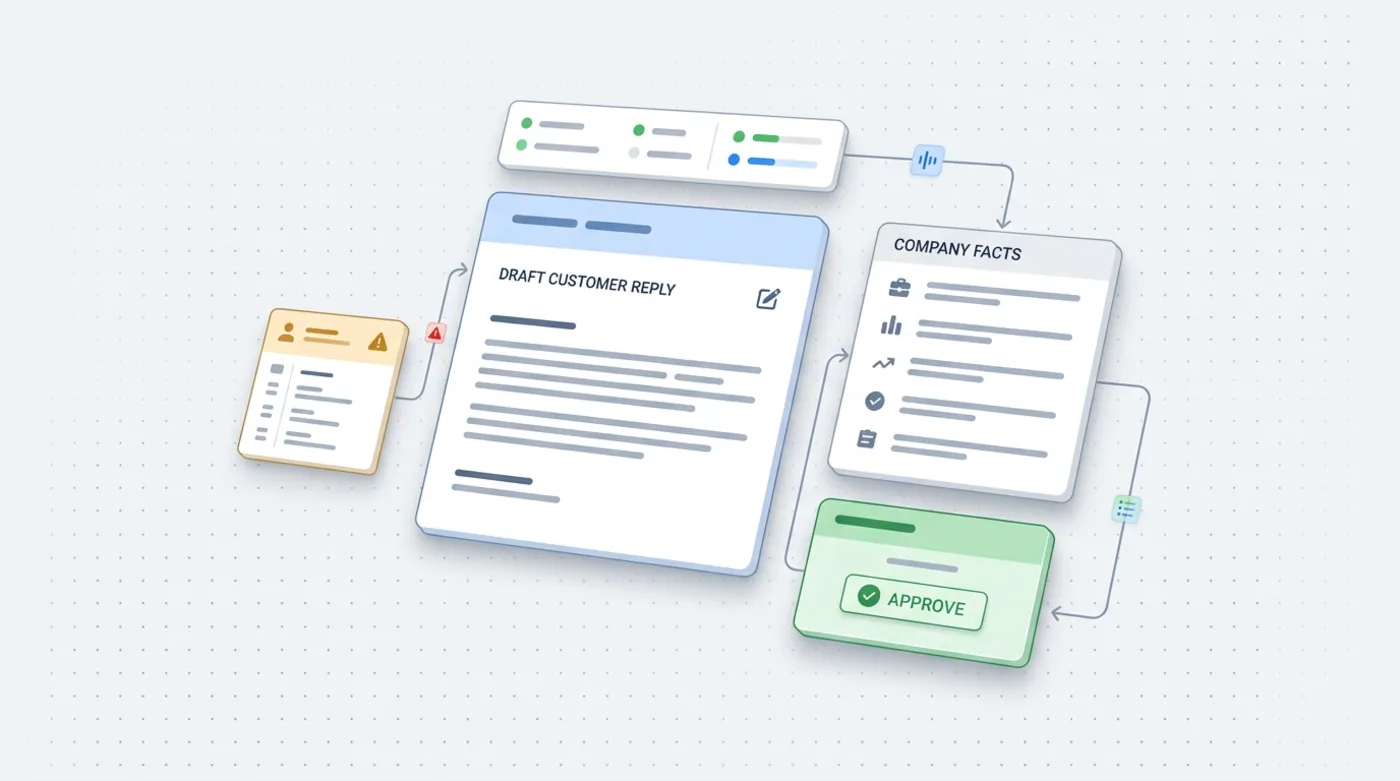
You are an assistant at the company [name, industry]. Write a polite reply to the enquiry below.
Use information only from the "Facts" section. If something is missing from the facts, ask the customer a question instead of guessing.
Tone: [matter-of-fact, warm]. Length: at most 120 words. At the end, suggest the next step.

Facts: [services, hours, rules]
Customer's enquiry: [text without personal data]
Template 2: an offer
Write an offer for a customer in the [industry] industry for the service [service].
Structure: 1) a short summary of the customer's need, 2) scope of work in points, 3) deadline, 4) price, 5) next step.
Use only this data: [scope, deadline, price]. Do not add anything.
Style as in this example: [paste one of your offers]
Template 3: a service description for the website
Write a description of the service "[name]" for the website of a company from [city].
Reader: [who they are and what problem they have]. Goal: for them to read it and call or write.
Include: who the service is for, how the cooperation works, what the customer can expect.
No clichés and no promises of results. About 150 words, plain language.
Template 4: summarising a long email
Summarise the correspondence below in 5 points: agreements, open questions, deadlines, who is to do what, risks.
If something is not in the text, write "no information". Do not add anything of your own.

Text: [paste the thread after removing personal data]
Template 5: a social media post
Write 3 post proposals for [Facebook/Instagram] for a company in [industry] on the topic [topic].
Audience: [who]. Tone: [as in the example below]. Each post up to 600 characters, one opening sentence, one call to action.
Do not use emoji in every other sentence. An example of our style: [paste one of your existing posts]
Typical mistakes I see
Before you move on to the templates, here is a short list of the things that most often spoil the result:
- One sentence instead of an instruction. "Write a post about the promotion" gives you a text that could be about any company in the world.
- No information on who it is for. The same text sounds different to a business owner and to a student.
- Demanding everything at once. Asking for an outline, the text, titles and graphics in one message ends in a mediocre result in every part.
- Trusting without checking. AI can write a confident-sounding sentence that is untrue. Always check numbers, dates and prices yourself.
- Not saving it. A good prompt emerges after a few attempts, so save it instead of inventing it anew.
A good prompt is also a team tool. When several people in a company use AI, each writes differently and gets different results. A shared, saved template makes replies to customers sound alike, and a new person gets up to speed faster. It is worth reviewing the templates from time to time and removing whatever does not work.
What not to paste into AI
The templates have one thing in common: you remove personal data before pasting. A customer's name, phone number, address or order number are not needed in most tasks. "A customer" and a description of the case are enough. I described the rules for using AI in the context of the GDPR in a separate post: AI and GDPR in your company. I write about choosing a tool here: ChatGPT, Claude or Gemini.
From practice: what works best is a separate file with your "standing facts" about the company: services, rules, tone. You paste it at the start of every conversation and do not write it all out again each time.
Where to start
- Pick one repetitive task, for example replies to typical enquiries.
- Copy the matching template and fill it in with your own facts.
- Paste one of your best, real replies as an example of style.
- Test it on 5 real situations and fix the prompt, not the result itself.
- Save the working version in one document for the whole team.
- Always read the result before sending. AI can be wrong.
If you would like me to go through your tasks and put together prompts and rules for using AI for your team, see AI for business or write via the contact form. You will also find the general picture of the topic in the post AI in a small business.
Frequently asked questions
Do I have to write prompts in English?
No. Modern models cope well with Polish. Write in the language in which you want to get the answer, and check the result for correctness.
How long should a prompt for AI be?
Long enough to contain the role, task, context, constraints and format. A few sentences are often enough. Missing context does more harm than a description that is too long.
Why give AI an example?
The official OpenAI, Anthropic and Google guides point to examples as an effective way of showing the expected pattern. One good reply pasted in helps you get the right style.
Can I paste customer data into AI?
Better not. Remove the name, phone number and address before you paste the text. I describe the rules in the post on AI and GDPR in your company.
What should I do when the answer is bad?
Do not start from scratch. Write exactly what to fix, or add context and constraints. Fix the prompt itself and save the version that works.
Sources

Author
Piotr Babczyński
I help businesses win customers online: SEO, Google and Meta ads, automation and AI. I work from Szczecin, Poland, and remotely. I write about what I test on real projects.
- 30 years in IT
- SEO and Google Ads
- AI implementation
- #prompts
- #ChatGPT
- #templates
- #AI in business