
In short
- The price of a website is set by the scope: subpages, integrations, content, language versions and SEO, not by the word "website".
- You usually pay for the design once, but the domain, hosting, updates and backups are regular costs.
- An SSL certificate often costs nothing, because Let's Encrypt issues them free of charge.
- The domain, the access and the rights to the code must be written into the contract in your company's name.
- Compare quotes by scope of work and ongoing costs, not by the final amount.
Table of contents (9)
- How much does a website cost: what the price consists of
- One-off and ongoing costs
- Types of websites and the difference in scope of work
- What a company website must include
- What it should include to bring in enquiries
- Who owns the domain and the code
- How to compare quotes and red flags
- Where to start
- Frequently asked questions
How much does a website cost? There is no single answer, because the price is set by the scope of work, not by the word "website" itself. I do not give amounts here, because without knowing your business they would be guesswork. I show what the cost consists of, what you pay once and what regularly, and how to compare quotes so that you compare the same thing.
How much does a website cost: what the price consists of
Several things affect the price at once, and the biggest difference comes from the scope: how many subpages there are, how elaborate they are, and what the site is supposed to do apart from displaying text. Two quotes for a "company website" can describe completely different tasks.
The most common cost components:
- Graphic design. A ready-made template with adjusted colours costs differently from a design made from scratch for your brand.
- Content and photos. Somebody has to write the texts and prepare the photos. If you supply them yourself, this item drops out of the quote, but the work moves to you.
- Programming. It depends on the chosen technology and on how many elements are prepared individually.
- Number of subpages. Every subpage means content, layout and a test on a phone.
- Integrations. Forms, bookings, online payments, a connection to a CRM or an invoicing system. Each integration is a separate piece of work and often a separate, ongoing fee to the service provider.
- Language versions. This is not only translation, but also separate addresses, menus and maintaining content in two places.
- SEO at launch. Heading structure, titles, descriptions, page addresses, a sitemap. Done well at the start, it is cheaper than fixing it later. SEO as an ongoing service is a separate topic, which I described in the post How much does SEO cost.
- Digital accessibility. Contrast, keyboard operation, image descriptions. It is cheaper to include this in the design than to add it after launch.
From practice: The most common reason for mismatched quotes is not the contractor's rate, but a different scope. One quote includes texts and photos, another assumes you will supply them yourself.
One-off and ongoing costs
You usually pay once for the design and the launch. For keeping the site running and secure, you pay regularly or periodically. So ask not only "how much for the build", but also "how much for maintenance in the following years".
| Item | One-off or ongoing | What it depends on |
|---|---|---|
| Graphic design | One-off | Template or from scratch, number of views |
| Programming and launch | One-off | Technology, number of subpages, features |
| Content and photos | One-off, then additions | Who prepares them, whether a photo shoot is needed |
| Domain | Ongoing, usually yearly | Domain extension and registrar |
| Hosting | Ongoing, monthly or yearly | Traffic, technical requirements, server quality |
| SSL certificate | Often free of charge | Choice of provider and way of installation |
| Updates and backups | Ongoing | Site technology, frequency of changes |
| Care and small changes | Ongoing or as needed | How often you change something |
| External services (bookings, payments, CRM) | Ongoing | The plan of the chosen provider |
As for the SSL certificate, remember that it does not have to be a cost. The Let's Encrypt organisation issues certificates free of charge, and many hosting providers install them automatically. If someone puts a separate, high item in the quote for the certificate alone, ask them to explain what exactly it includes.
Types of websites and the difference in scope of work
The more features, the more work and the more elements to maintain. Match the type of website to the goal, not to what the competition has.
- A business card site. One or a few short subpages: who you are, what you do, how to get in touch. It is enough when customers call anyway on a recommendation.
- A service website with subpages. A separate subpage for each service and town, reviews, completed work, an FAQ. This is the variant for companies that want to win customers from search.
- A shop. A basket, payments, delivery, terms and conditions, handling returns. Legal obligations towards consumers are added.
- A web application. Login, a customer panel, custom logic, for example a calculator, bookings or an order system. I describe the details in the web applications offer.
The choice of technology also changes the cost of building and maintenance. You will find a comparison of WordPress with a modern React website in the post WordPress or a modern React website.
What a company website must include
The elements below apply to most companies, but this is not legal advice. The scope of obligations depends on what you do on the website, so if in doubt, ask a lawyer or a data protection officer.
- Company details. Name, address, NIP (tax identification number) and contact details. The customer should know who they are dealing with.
- Information on personal data. If the website has a form, a newsletter sign-up or analytics, you collect personal data. Under the GDPR you must then give the person concerned information about the controller, the purpose and legal basis of processing, the recipients, the retention period and that person's rights. This is usually done in a privacy policy and a short clause next to the form.
- Cookies and similar technologies. Files necessary for the site to work run without consent, but analytics and advertising tools usually require the user's consent before they start. So the website needs a correctly configured consent window and a description in the cookie policy.
- Terms and conditions, if you sell online or provide services through the website.
General materials for businesses are published by UODO (the Polish data protection authority). You will find the links in the sources below the post.
What it should include to bring in enquiries

A website that merely exists will not bring customers. Besides the obligations, it needs elements that help the visitor make a decision.
- Customer reviews. Genuine ones, ideally with a first name or company name, with the customer's consent.
- Completed work. It shows that you really do what you describe.
- FAQ. Answers to questions customers ask before buying. It reduces the number of phone calls with the same question.
- Fast loading. A slow website tires the user before they have read the offer. Ask the contractor for a measurement on a phone.
- A mobile version. Google uses the mobile version of content for indexing and assessing a website, which it describes in its documentation as mobile-first indexing. If content that is on the computer is missing on the phone, Google will not take it into account.
I described the full list of elements that turn visits into contact in the post A website that collects enquiries.
From practice: Many websites have good photos and weak information about what to do next. One visible way to get in touch on every subpage often does more than another section.
Who owns the domain and the code
The domain and the code should belong to you, not to the contractor, and the contract must say so. This is the most common trap: after parting with the contractor, the company cannot move the website or recover its address.
Put in the contract:
- Who is the registrant of the domain. It should be registered to your company, and you should have access to the registrar's panel.
- Who has access to the hosting and to the website's admin panel.
- What copyright in the design, the code and the texts you receive, for which fields of use and from when.
- Whether you will receive the source code and the design files.
- What the handover of the website looks like after the cooperation ends.
Photos, fonts and plugins have separate licences. Ask whether the licences are in your company's name, and whether they require ongoing fees.
How to compare quotes and red flags
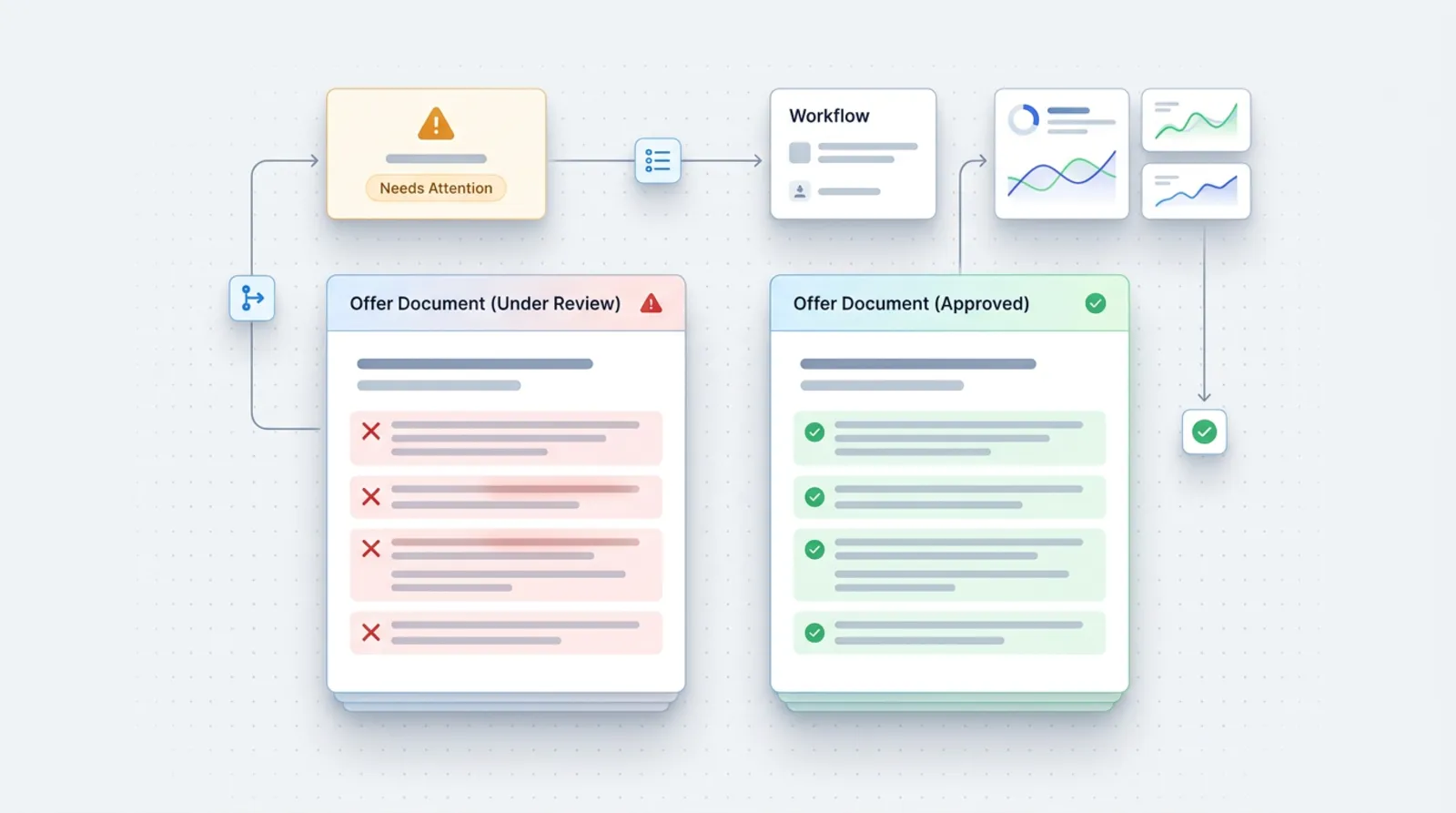
Compare quotes by scope, not by the final amount. Ask each contractor to describe the same elements and set them side by side.
A checklist for comparison:
- the number and list of subpages,
- who does the texts and photos,
- whether the design is from scratch or from a template,
- which integrations are included in the price,
- whether there is a mobile version and how it is checked,
- what SEO at launch covers,
- how long the build takes and how many rounds of revisions are included,
- ongoing costs in the following years,
- the rules on ownership of the domain and code,
- what happens after launch: support, backups, updates.
Red flags:
- the contractor registers the domain in their own name and does not want to change it,
- no contract, or a contract with no clause on copyright,
- a price with no description of the scope,
- pressure to decide quickly,
- promises of a position in Google "for sure" or "after a week",
- no mention of backups and updates,
- no access to the website's panel after launch.
Where to start
Before you ask for a quote, settle three things: what the website is to do (phone calls, forms, bookings, sales), what you already have ready (texts, photos, logo, domain) and what is to work in the following years. With that information the quote is specific and comparable.
A practical plan:
- Write down the services you want to sell and the questions customers ask.
- Gather photos, reviews and examples of completed work.
- Check who your current domain is registered to.
- Decide which integrations are essential at launch and which can wait.
- Collect at least two quotes and compare them against the checklist.
- Put ownership of the domain, the code and the access in the contract.
If you like, tell me about your business in a short conversation, and I will prepare a quote with a clear scope and a split into one-off and ongoing costs.
Frequently asked questions
Does a website have costs after launch?
Yes. You usually pay for the domain, hosting, and updates and backups. Fees for external services are added if the website uses them, for example for bookings or payments. Ask about these costs before signing the contract.
Can I supply the texts and photos myself?
Yes, and it often reduces the contractor's scope of work. But you must hold the rights to these materials and supply them by the agreed date. Delays on your side push back the launch date.
Does a website have to have a privacy policy?
If you collect personal data, for example through a form, a newsletter or analytics, you must meet the information obligation under the GDPR. This is usually done in a privacy policy. The details depend on what you do on the website, so consult a lawyer.
How do I check whether the domain is registered to my company?
Ask the contractor for the name of the registrar and ask for access to the domain panel. In the panel you will see who it is registered to. If it is the contractor, ask them to transfer it to your company.
After launch, can I change the content on the website myself?
It depends on the technology and on what you agree. A panel can be prepared in which you edit texts and photos yourself. Agree this at the start, because it affects how the website is built.
Sources

Author
Piotr Babczyński
I help businesses win customers online: SEO, Google and Meta ads, automation and AI. I work from Szczecin, Poland, and remotely. I write about what I test on real projects.
- 30 years in IT
- SEO and Google Ads
- AI implementation
- #website
- #quote
- #contract
- #GDPR